
Lab 01 • Cloud Website Deployment

My First Cloud Website

Exploring modern cloud-hosted static site architectures, global edge delivery, and deploying via Cloudflare Pages.

Course: Introduction to Cloud Computing
Lecturer: Truong Thi Ngoc Phuong
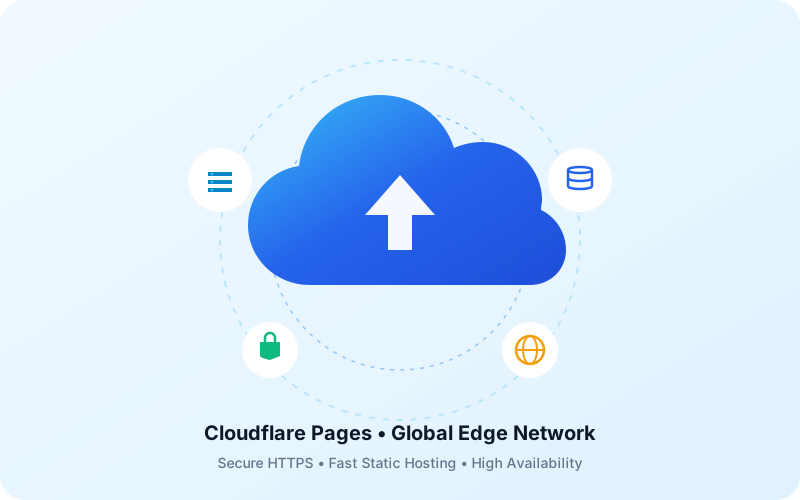
Cloud Architecture Illustration

About Me

Student information and academic details for Lab 01 submission.

Student Profile Avatar
Full Name Tran Gia Kiet
Student ID 24110103
Course Introduction to Cloud Computing
Lecturer Truong Thi Ngoc Phuong
Selected Option Option C — Cloudflare Pages
Academic Status Active • Lab 01 In Progress

Welcome to my first cloud-hosted project! I am an IT student enthusiastic about exploring cloud native architectures, serverless computing, and web performance optimization. This lab demonstrates hands-on static site creation, modern semantic HTML/CSS design, and high-performance edge deployment.

What is Cloud Computing?

Comprehensive conceptual understanding in my own words.

“

Cloud computing is the on-demand delivery of computing services—including servers, storage, databases, networking, software, analytics, and intelligence—over the Internet (“the cloud”) to offer faster innovation, flexible resources, and economies of scale. Instead of purchasing, maintaining, and managing costly physical data centers and on-premise hardware, individuals and organizations can provision high-performance technology resources on an as-needed basis from a cloud provider. This operational paradigm allows businesses to achieve rapid elasticity, minimize initial capital expenditures through a flexible pay-as-you-go pricing model, improve team agility, and ensure resilient global availability with automated failover and disaster recovery across worldwide edge regions.

Word count: 104 words (Exceeds the 80-word requirement)
⚡

High Elasticity

Dynamically scale computing capacity up or down in seconds based on real-time traffic demand.

💰

Cost Efficiency

Shift from heavy upfront capital expenditure (CapEx) to a predictable operational expense (OpEx).

🌎

Global Edge Reach

Deploy digital applications globally within milliseconds to reduce latency for end-users everywhere.

Cloud Service Models

Understanding the core cloud computing layers: IaaS, PaaS, and SaaS.

IaaS

Infrastructure as a Service

IaaS provides raw computing resources on demand, including virtual machines, physical servers, storage, and networking. The cloud provider manages the physical hardware and data centers, while the customer retains complete control over the operating system, middleware, runtime, and installed software.

Real-World Example:
Amazon EC2 (Elastic Compute Cloud) / Google Compute Engine

Allows developers to rent virtual server instances with custom CPU, RAM, and OS configurations on an hourly basis.

  • Provider manages: Physical servers, networking, virtualization
  • User manages: Operating system, middleware, apps, data
SaaS

Software as a Service

SaaS delivers complete, ready-to-use software applications over the web, typically accessed via a web browser or mobile app. The vendor manages the entire technology stack—from hardware and networking to software updates, security patches, and data storage.

Real-World Example:
Google Workspace (Gmail, Docs, Drive) / Microsoft 365

Users create documents, manage emails, and collaborate in real-time over the cloud without installing any local server software.

  • Provider manages: Entire application stack, database, security, backups
  • User manages: Application usage and user data

Deployment Information

Cloudflare Pages deployment architecture, security, and live verification link.

Cloudflare Pages (Direct Upload)

Selected Hosting Platform for Lab 01 • Option C

Status: Ready for Cloud
Hosting Platform Cloudflare Pages
Deployment Method Direct Upload (Folder / ZIP)
Security Protocol 🔒 HTTPS / TLS 1.3 Enabled
CDN & Edge Network Cloudflare Global Anycast Edge (330+ Cities)
Asset Architecture Static Jamstack (HTML5, Custom CSS, Vector SVG)
HTTP Protocol HTTP/2 • HTTP/3 (QUIC) Supported
Published Public HTTPS URL:

* Note: Replace the URL above with your unique Cloudflare Pages domain (e.g., https://lab01-nguyenvana.pages.dev) once deployed.

Quick Deployment Process on Cloudflare Pages:

1
Login Cloudflare

Navigate to Workers & Pages on the dashboard.

2
Create Pages Project

Select Create application → Pages → Direct Upload.

3
Upload Assets

Drag and drop the website folder containing index.html, style.css, and assets/.

4
Deploy & Verify

Receive your custom pages.dev HTTPS URL and verify in incognito mode.